


Responds to your property
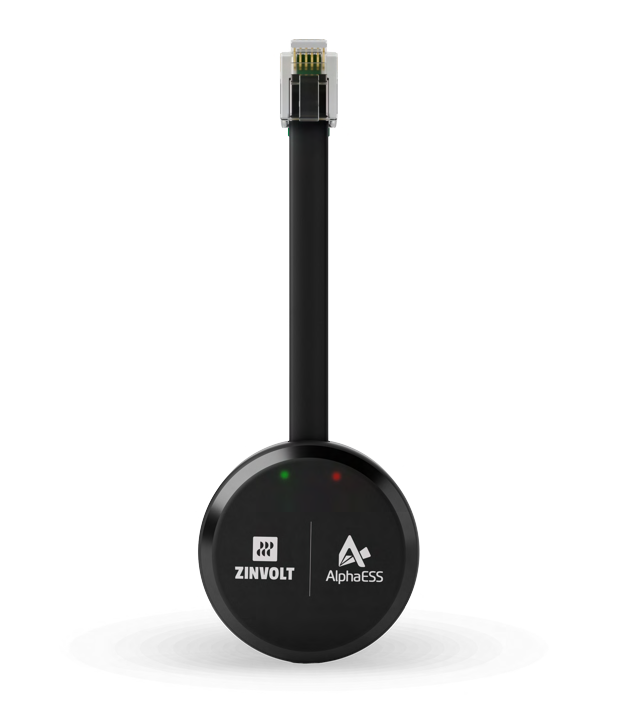
The included P1 dongle PRO sees what you consume and feed back.

Plug & play home battery
Place the ZinVolt Base in a stable, well-ventilated location and connect it to a suitable outlet according to the manual. Then pair the included P1 dongle PRO and complete the installation in the ZinVolt app.
The Base will then operate automatically and can later be expanded from 4 to 8 kWh.
The included P1 dongle PRO sees what you consume and feed back.
Start with 4 kWh and add an extra Stack later.
Use the built-in power outlet in case of a power failure.
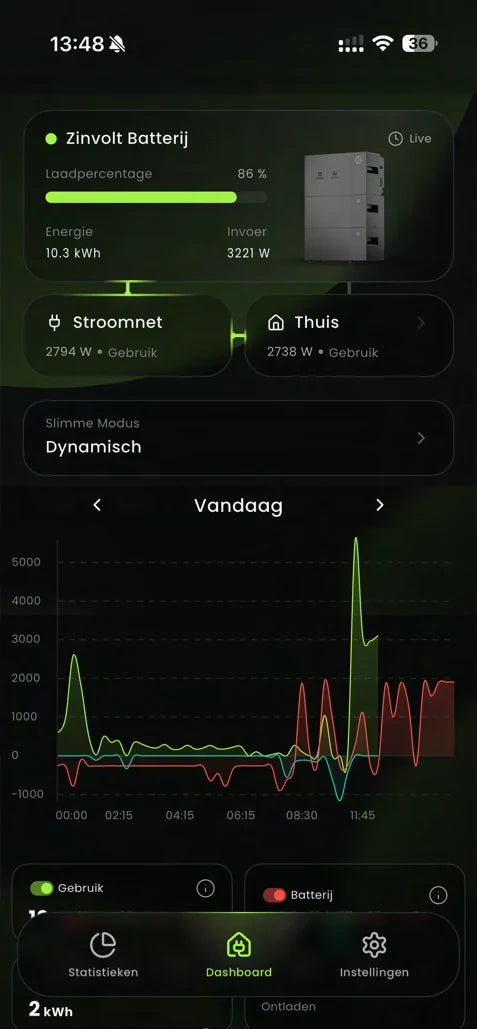
View storage, consumption, and energy flows without technical hassle.


Here's how it works
Click through the three steps to see how the system responds to your home.
Smart energy management via the app
With the ZinVolt app, you can instantly see what the Base is storing, what your home is consuming, and how much energy is being fed back into the grid. You can easily choose the energy mode that suits your situation.
Included for free
The P1-dongle PRO reads your smart meter. This way, the ZinVolt Base knows how much energy the home consumes, returns to the grid, or draws from the electricity grid. With this meter data, the system automatically responds to current energy consumption.
Technical Specifications
Review key product details and open the available manual or datasheet.
Plug & play installation
The ZinVolt Base is designed for easy connection. You place the system in a suitable location, connect it, and complete the pairing in the ZinVolt app.
Place the Base and Stack in a stable, well-ventilated location. Connect the system to a suitable power outlet according to the manual.
Insert the included P1 dongle PRO into the smart meter and connect it to a stable 2.4 GHz WiFi network.
Add the Base in the ZinVolt app, select the desired energy mode, and check that storage and energy flows are displayed correctly.
Experiences with ZinVolt
Real experiences show what customers value: an understandable system, good support, and immediate insight into the app.
“Great system that ensures less power consumption at night and an emergency power option in case of outage. I am very satisfied. Contact with ZinVolt is absolutely perfect.”
"With my dynamic energy contract, I can charge cheaply at night. During the day, I use that power myself. The app shows exactly what I'm consuming, a smart system!"
"First I gained some experience with three batteries. Now I've added two more so I can last exactly through the evening and night."

Advice for your home
Tell us a little about your home. We will then personally help you find a suitable home battery.
Leave your details
Fill in your details. We will contact you for personal advice.
Frequently asked questions
Always check the current product contents, compatibility, and installation requirements before purchasing.
No. The Base is designed for easy installation. You place the components according to the manual, connect the Base to a suitable group, and connect the included P1 dongle PRO to the smart meter.
Yes. You start with 4 kWh and can add an extra ZinVolt Stack for a total capacity of 8 kWh per Base system. Multiple Base systems can be combined when a larger total storage is needed.
Yes. The ZinVolt Base can be used with both a 1-phase and 3-phase household connection. The battery supplies power via one phase. The smart meter measures the total energy consumption of the house.
Yes. The battery can store cheap electricity from the grid and use it later. This is particularly interesting in combination with a dynamic energy contract.
The normal power supply to the house fails. Via the built-in socket of the Base, you can connect important devices directly to the battery as long as there is sufficient energy available.
The housing has protection class IP65. Always choose a suitable, stable location and follow the requirements in the manual for ventilation, temperature, and free space.
In the ZinVolt app, you can view current storage, energy flows, and settings. The P1-dongle PRO provides the measurement data required for automatic control.
Next step
View the current version, price, and availability at the top. If you are unsure about the correct capacity, please use the personal energy advice tool.
Your cart is still empty, but we'd be happy to help you fill it with smart products.


